DefenceLabs Unity
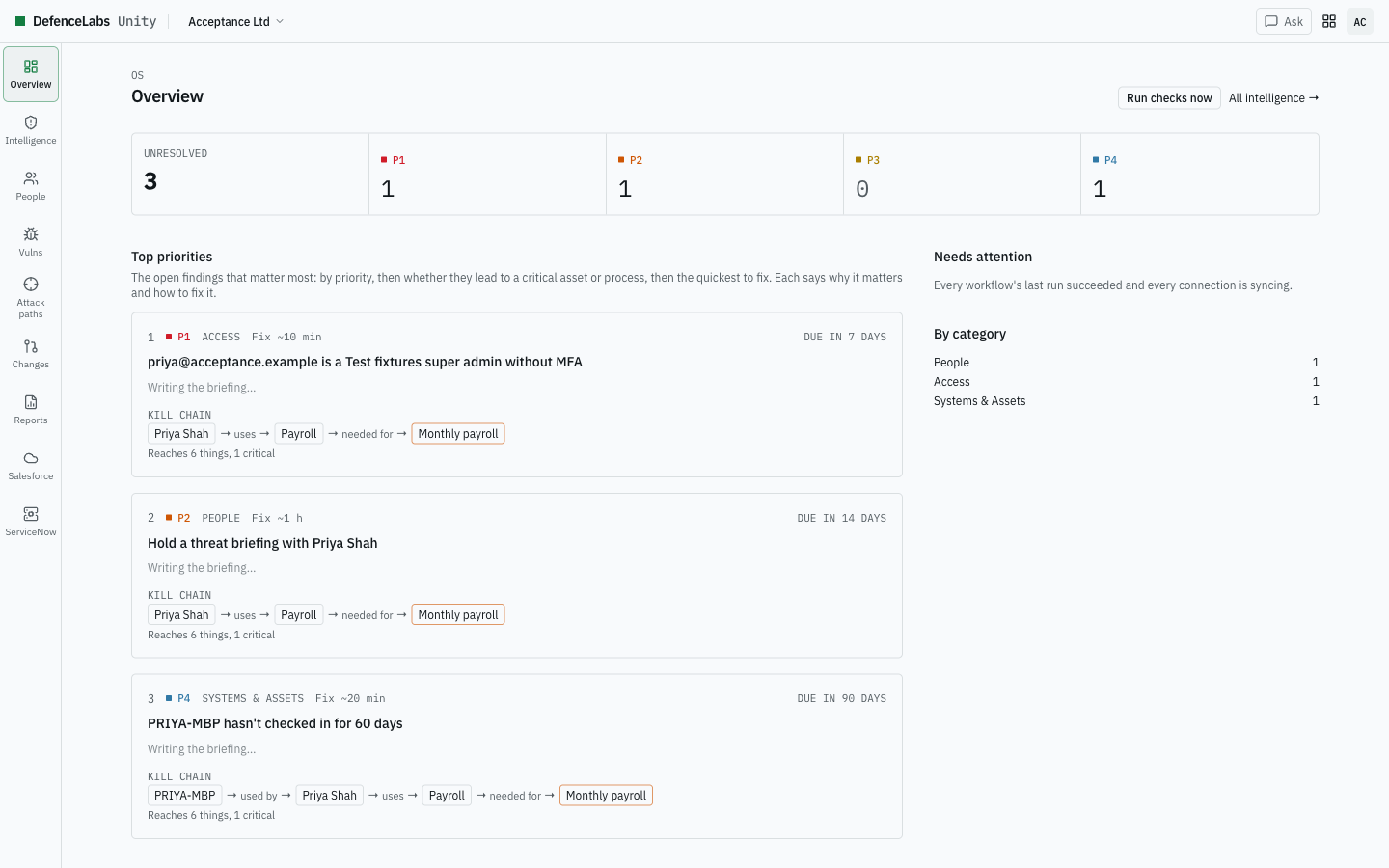
Unity watches your company's tools for security problems and tells you which ones matter. It connects to the apps you already use with read-only access, builds a picture of your people, devices, apps and suppliers, and checks that picture against your own policies and the frameworks you work towards. Anything that breaks a rule becomes a finding, ranked by how much damage it could do.
How it works
- Connect your apps. An admin connects tools such as Microsoft 365, Google Workspace, GitHub or Vanta from the Marketplace. Every connection is read-only.
- Unity builds the ontology. It reads people, accounts, devices, apps, cloud resources and vulnerabilities, and links them together. This model of your company is called the ontology.
- Your policies become checks. Unity reads your policies and pulls out each requirement in them. Built-in checks run every hour, and the AI drafts workflows for the requirements nothing checks yet. A workflow only runs once a person approves it.
- Problems become findings. Each finding says what is wrong, who it involves, why it matters and how to fix it. When a later check no longer sees the problem, the finding resolves itself.
Where to start
- New to Unity? Read Getting started.
- Working through findings? See Intelligence and findings.
- Setting up a company? Start with Marketplace, then Admin.
- Answering a security questionnaire about Unity itself? The Security tab covers hosting, data handling and access control.